Roster · Open Time · Bidding
Plan it. Bid it.
Fly it.
BidCheck writes your PBS bid from a sentence, turns the ARMS roster email into a calendar that tells you when to call in, and lets you know when open time that fits turns up. Made by a pilot, for pilots.
 Free for two months. No card needed.
01 · Roster
Your roster,
decoded.
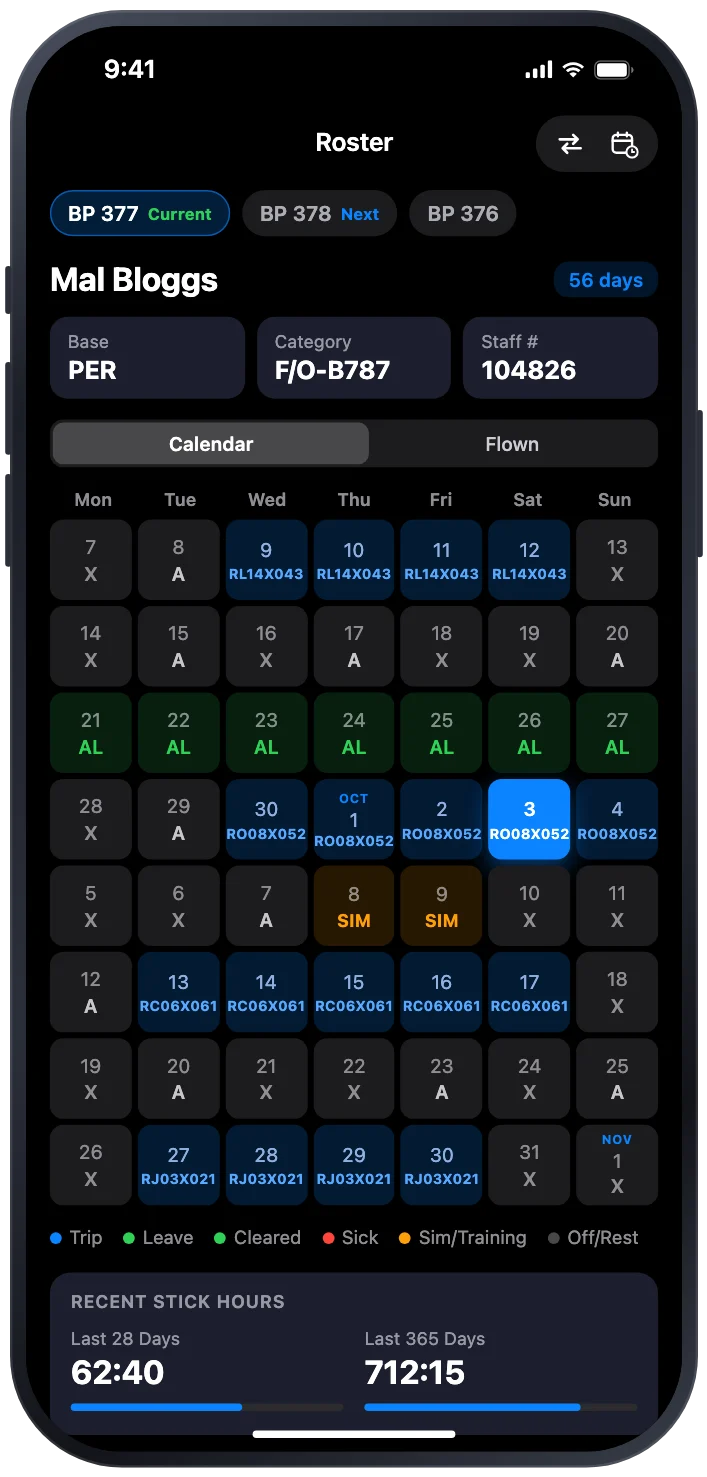
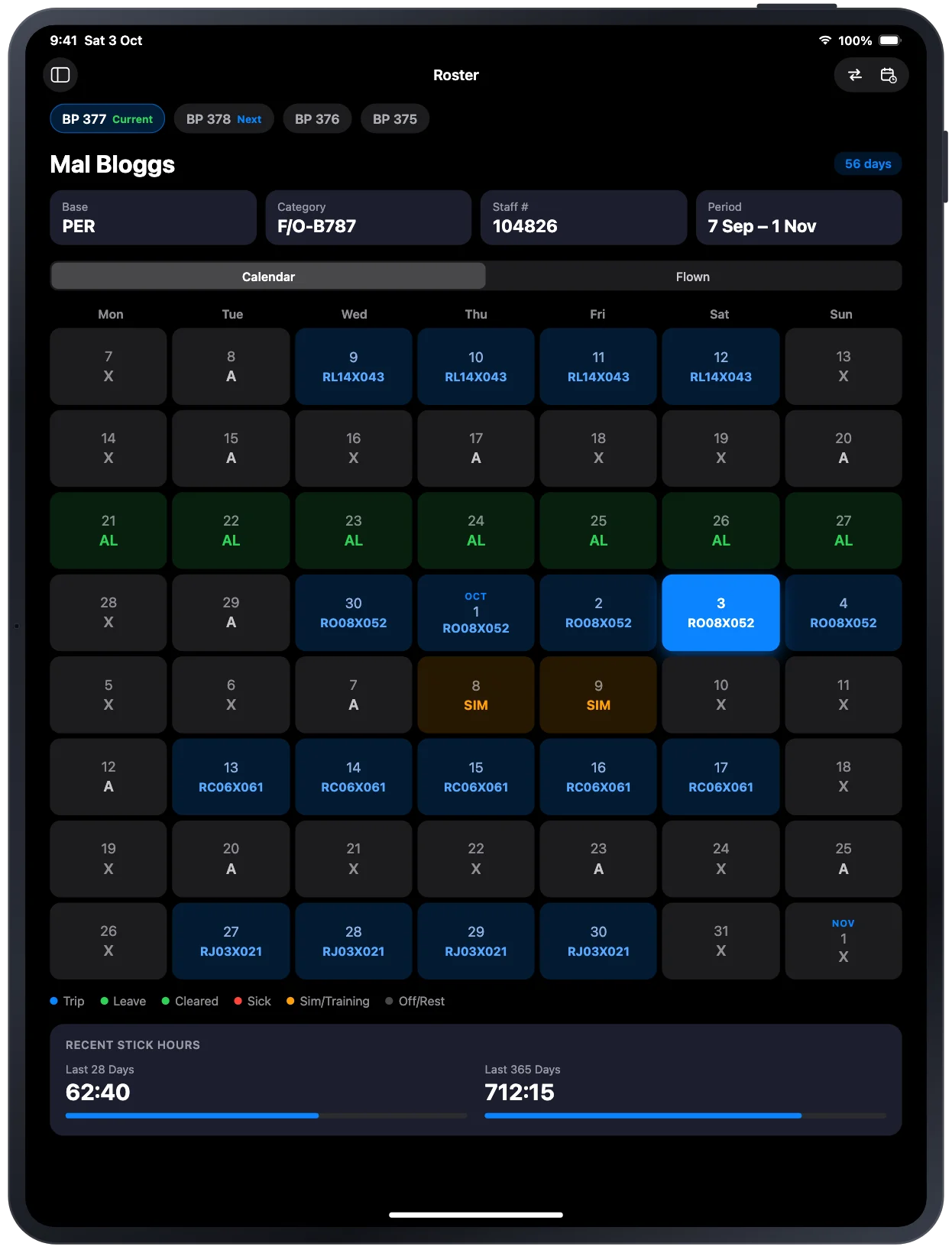
Send the ARMS roster email to your own BidCheck address. Every duty lands on a colour-coded calendar, with trip sheets, sign-on times and credit, and BidCheck reminds you when it’s time to call in.
- Call-in reminders. A-day contact windows for blank and pattern line holders, RM54 and 15-4, timed from your roster.
- In your calendar. Subscribe once in Apple Calendar or any calendar app, and every trip and sector shows up in local time.
- Google Calendar. Or connect Google Calendar: BidCheck writes your roster into its own “BidCheck Roster” calendar within seconds of a change. It can only access the calendar it creates, never your other calendars. How BidCheck uses Google data.
02 · Open Time
Never miss
open time.
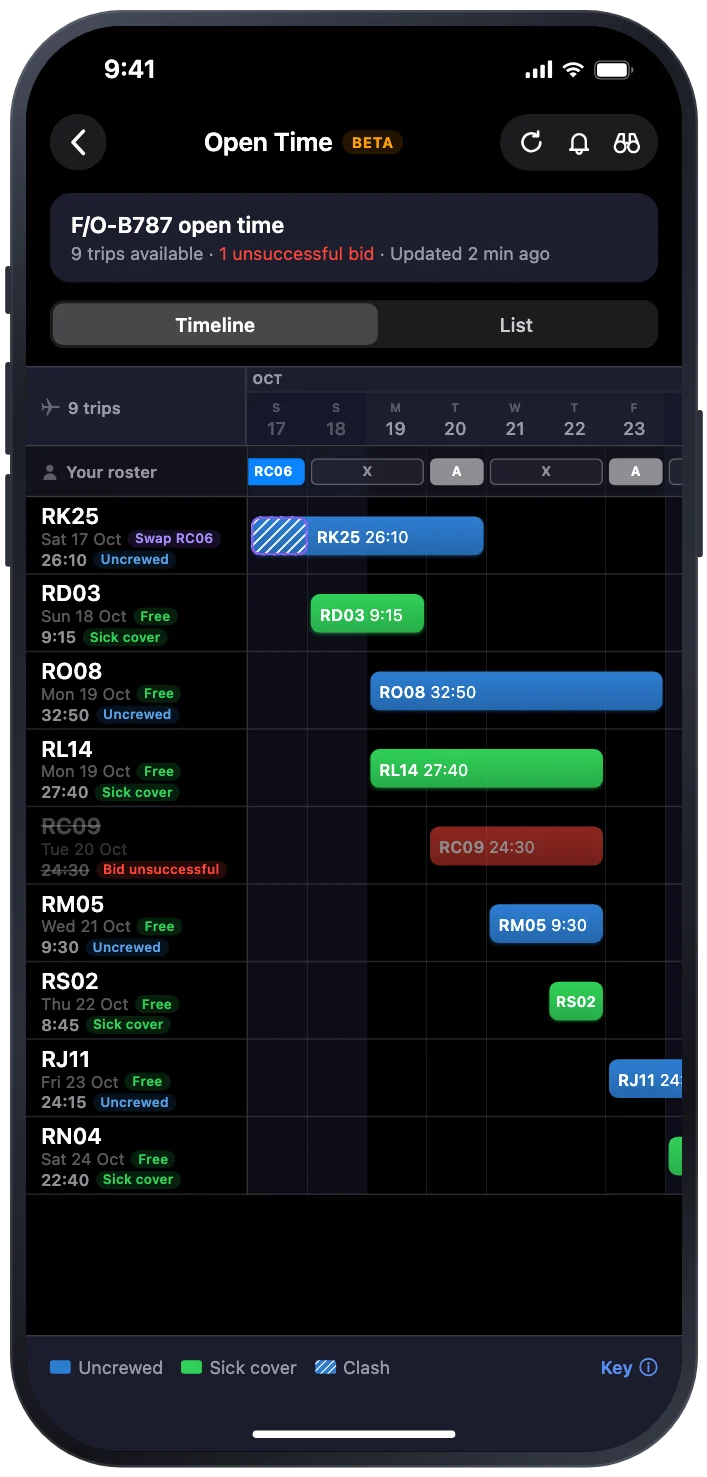
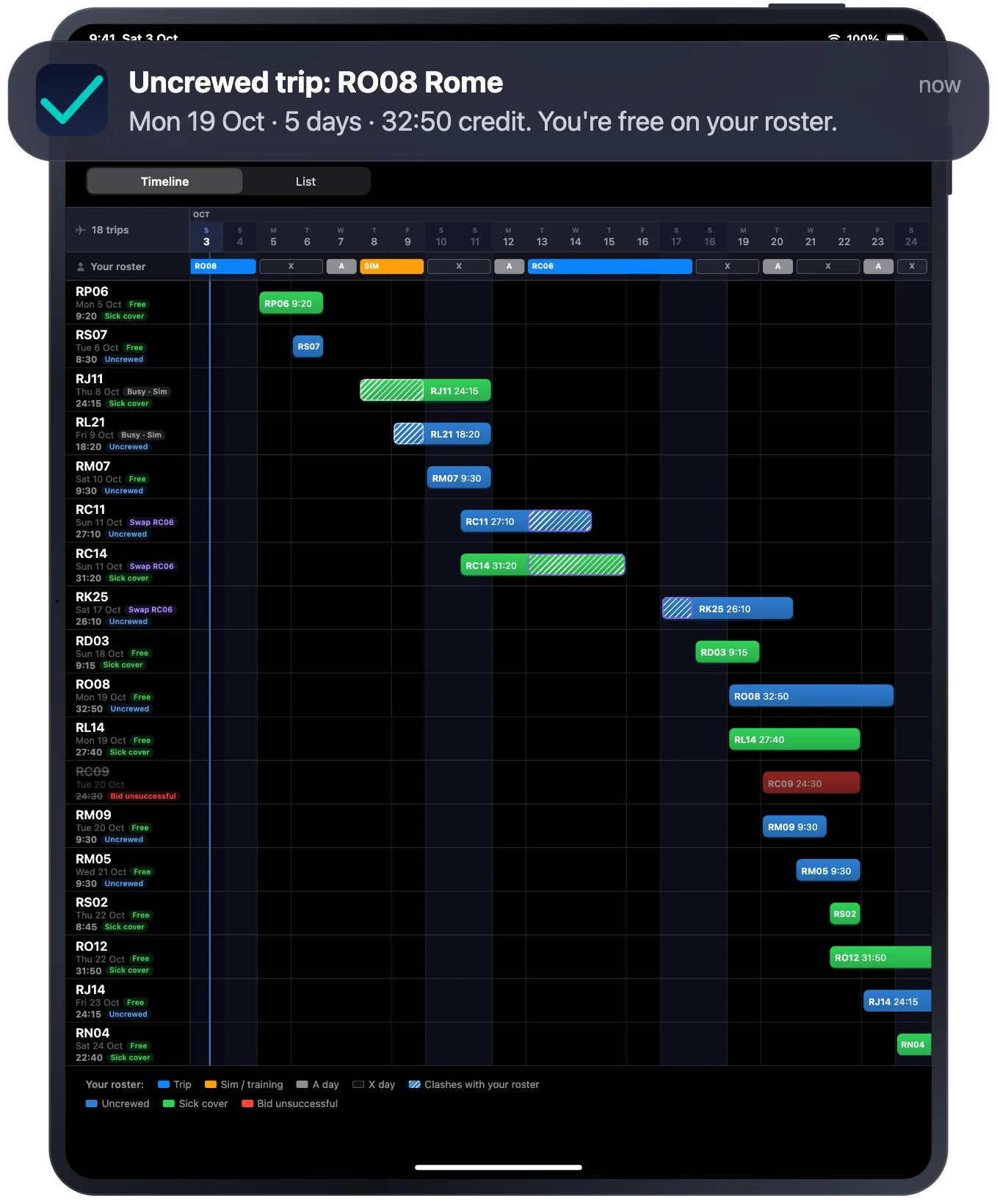
Sign in to webCIS inside BidCheck and see every open trip at your base: what it credits, when it leaves and whether it fits around your roster. When one that fits turns up, you hear about it.
- Alerts that know your roster. Trips you’re rostered over or on leave for stay quiet, and anything that can wait, waits until morning.
- Watches. Watch the dates or ports you want, and a matching uncrewed trip alerts you straight away, day or night.
- Your sign-in stays yours. Microsoft sign-in and your 2FA run on your device. BidCheck never sees or stores your password.
03 · Bidding
Your bid,
written for you.
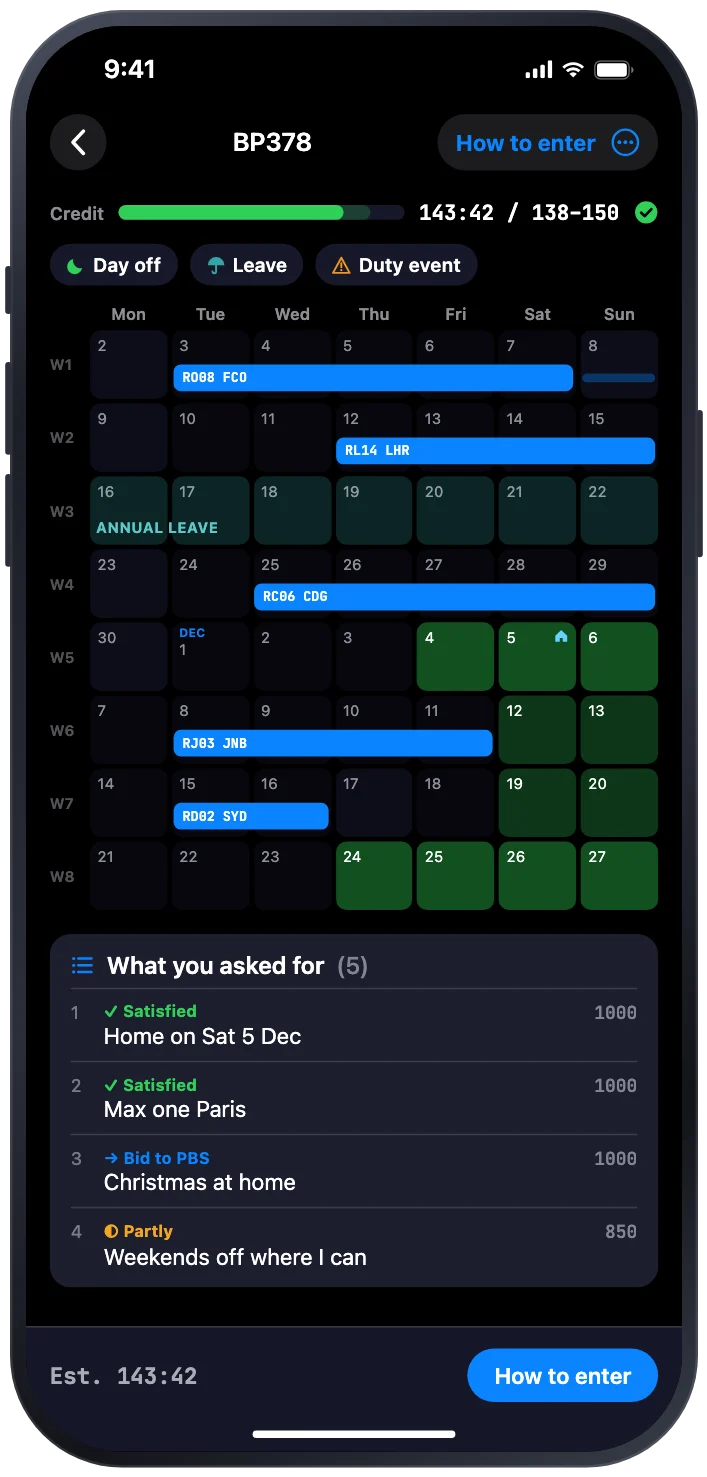
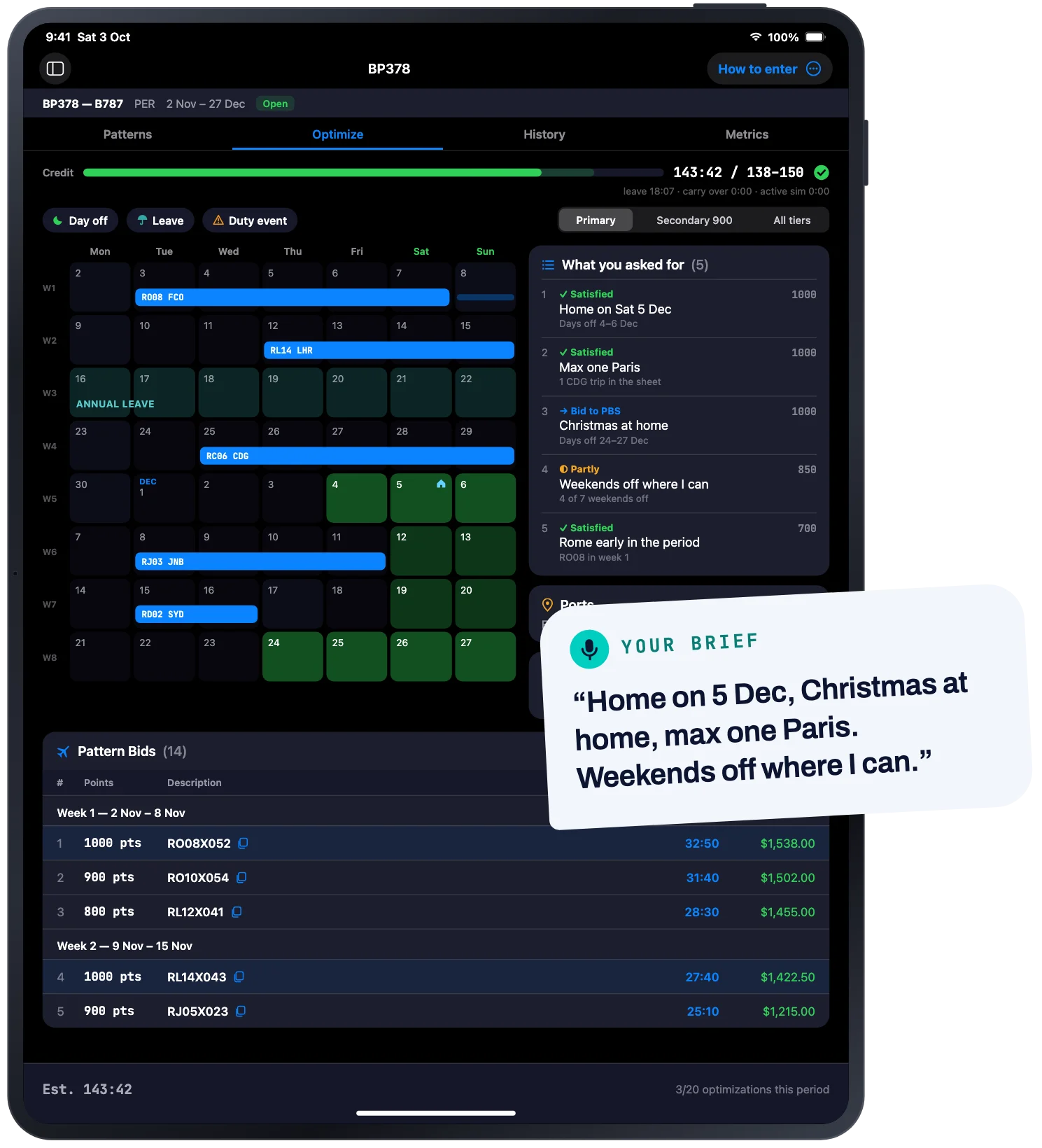
Say what you want in plain English, type it or speak it, or paint it straight onto the bid-period calendar. BidCheck writes the whole PBS bid: patterns with tiered fallbacks, days-off bids, and a credit total inside your MNX window.
- Every request accounted for. Each thing you asked for is marked satisfied, partly met or bid to PBS, so nothing quietly disappears.
- Inside the window. A live credit gauge counts leave and carry-over, and keeps the bid between your MNX bounds.
- Ready to enter. Step-by-step Rosterbids entry with one-tap copy. You enter the bid yourself; BidCheck never files anything for you.
04 · Patterns
Every pattern,
searchable.
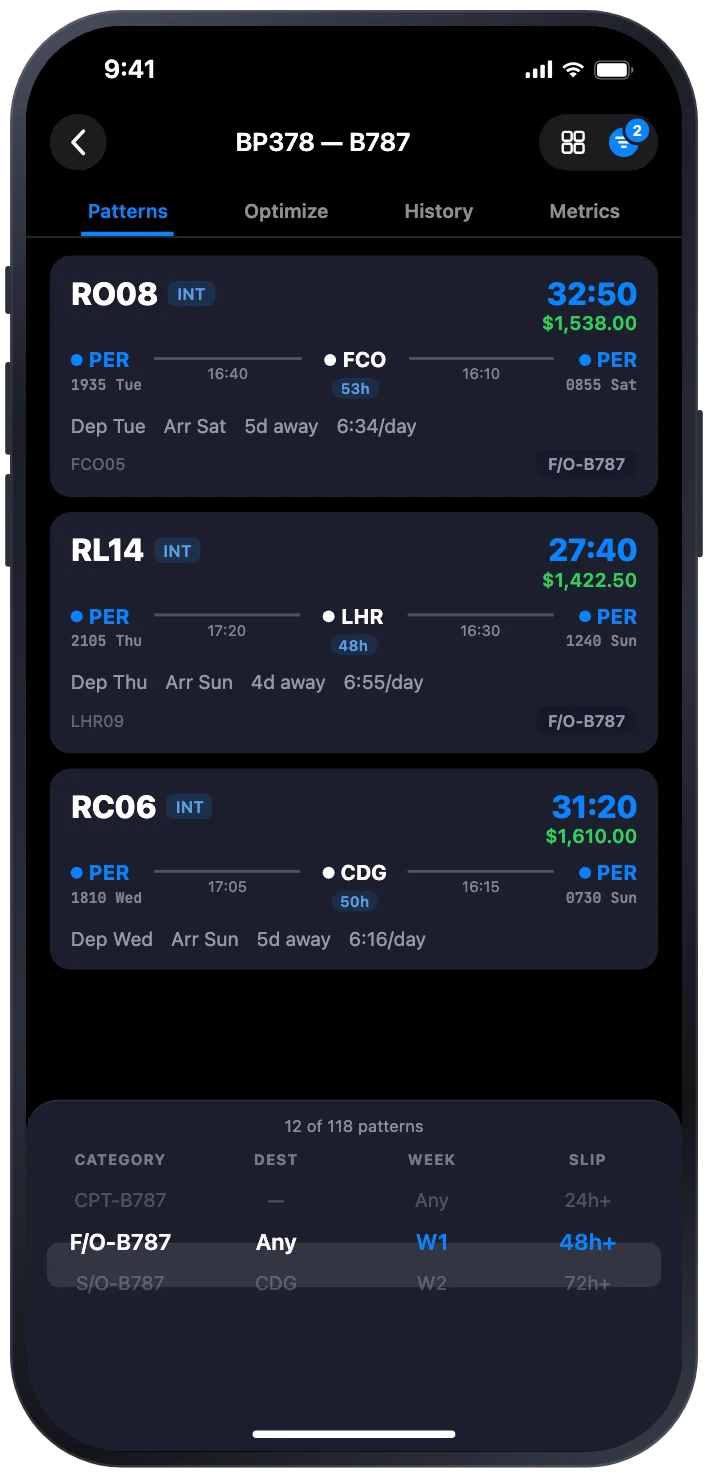
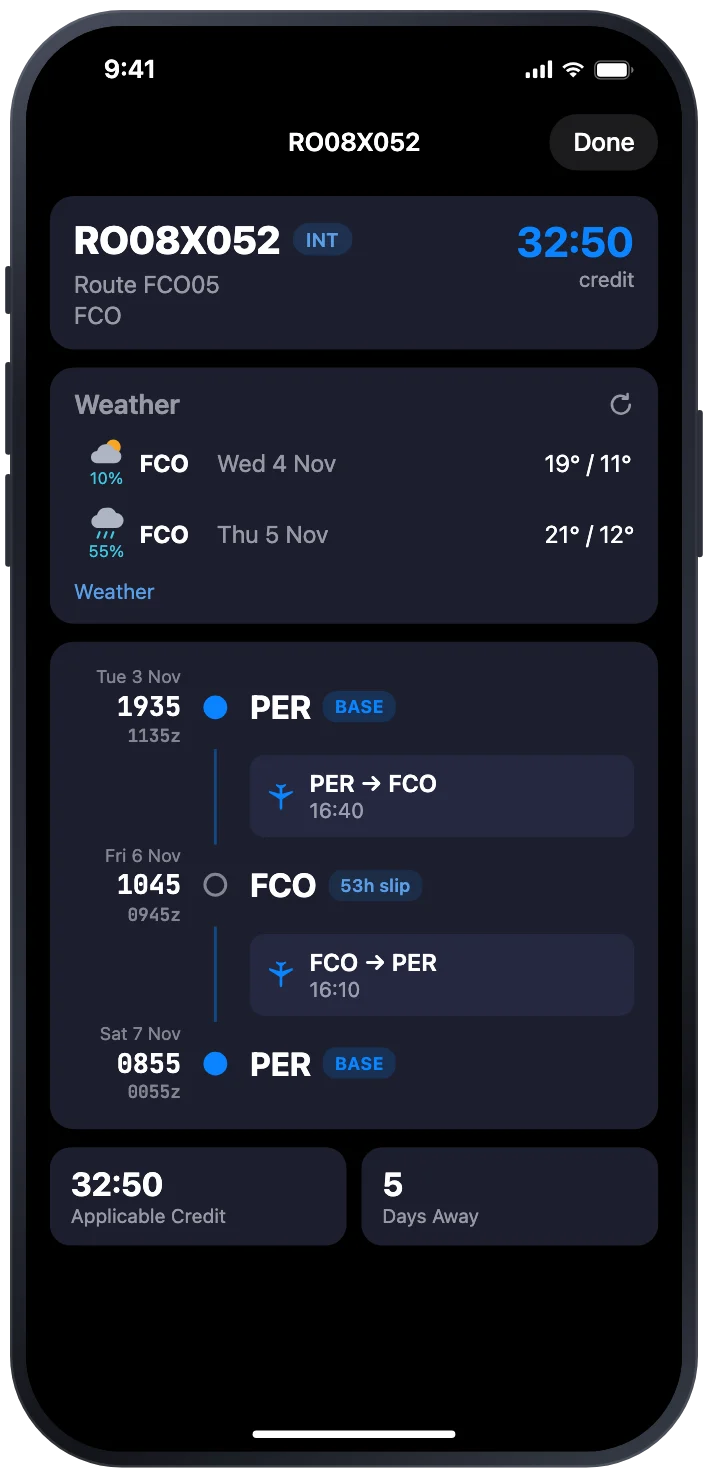
The pattern book for your fleet and base is ready when the bid period opens. Filter it by port, week, departure day and credit, then open any trip for every leg, every slip and the weather waiting at the other end.
- Weather at every layover. Forecasts for each slip port, so you know before you bid, and before you pack.
- What it pays. Applicable credit and the TAFB travel allowance on every pattern.
- Offline. Once it’s synced, the pattern book works without a connection.
Also on board
The rest of the job,
handled.
-
Swaps
Trip swaps, pre-checked.
Propose a swap with a pilot at your base. Crewing’s rules are checked first, and you send the agreed swap to crewing yourself.
-
Family
Your roster, for home.
Send a family-friendly PDF of your roster, or share a link that shows when you’re home and away. Turn the link off any time.
-
Catering
Special meals, sent for you.
Save your meal and approval once, and BidCheck emails catering before each trip, with you copied in.
-
Widget
Your roster at a glance.
Next trip, A-day status and the bid period, on your Home Screen in every widget size.
-
Codes
ARMS codes, explained.
Every allocation code on your roster, in crewing’s own words, with a glossary you can search.
-
Privacy
Your data stays yours.
No ads, no tracking, nothing sold. Delete your account and its data from the app whenever you like.
Getting started
Up and running
before your next bid.
-
01
Download and sign in
Sign in with Apple or Google, so there’s no new password. Your first two months are free.
-
02
Send BidCheck your roster
Roster › Set Up Roster gives you your own BidCheck address. Send your ARMS roster to it and your calendar, reminders and the pattern book switch on.
-
03
Bid when it opens
The pattern book is waiting when the bid period opens. Say what you want, check the sheet, and enter it in Rosterbids.
Pricing
Two months free.
No card needed.
Free trial
A$0
Two months from sign-up. No card needed.
- Every feature
- 10 bid optimisations
2-Month
A$17.99
Every two months, one bid period. Cancel any time.
- Every feature
- 20 bid optimisations per bid period
Annual
A$49.99
A year, about 54% less than paying every two months.
- Every feature
- 30 bid optimisations per bid period
Prices in Australian dollars. Subscriptions are bought in the App Store and renew automatically until you cancel them there.
Questions
Before you
download.
Anything else, the support page has more, or email support@bidcheck.co.
Does BidCheck put my bid in for me?
No. BidCheck writes the bid and shows you, step by step, how to enter it in Rosterbids. You enter it yourself, so nothing is ever filed without you.
Is my webCIS password safe?
BidCheck never sees it. You sign in to webCIS in a browser window inside the app, and Microsoft sign-in and your 2FA run on your own device, just as they would in Safari.
Who can use BidCheck?
Pilots who bid through PBS and get their roster from ARMS. New accounts verify once, either by sending BidCheck an ARMS roster or with a code sent to your work email.
What happens after the free trial?
Pick 2-Month or Annual in the app to keep going. If you don’t, BidCheck stops working until you subscribe. You never gave a card, so there’s nothing to cancel and nothing to be charged.
Is BidCheck made by an airline?
No. BidCheck is an independent app, made by a line pilot. It isn’t affiliated with, endorsed by or sponsored by any airline.
Made by a pilot,
for pilots.
On iPhone and iPad. Try everything free for two months, no card needed.